
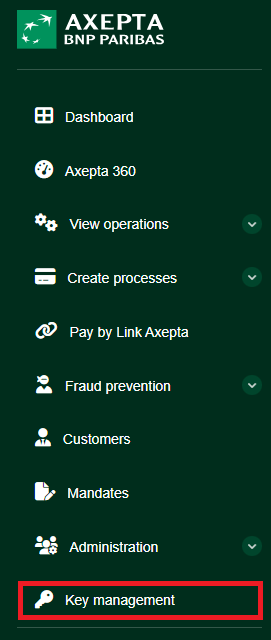
Overview of Key management
Accessing the Key Management page
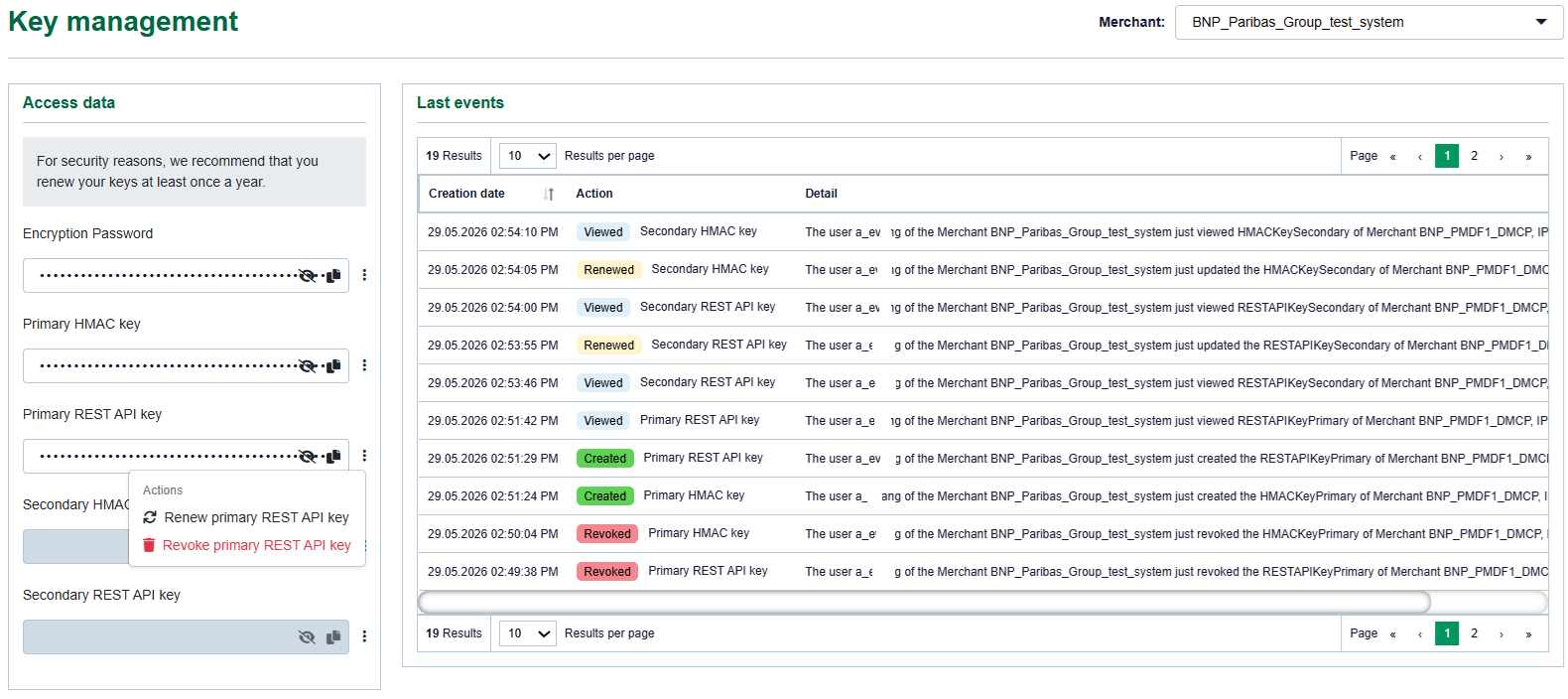
From the Axepta Online Merchant Portal, open the Key Management section. The page displays the following information:
- the selected merchant;
- available access data;
- primary and secondary keys;
- available actions for each key;
- the latest activity history.
Note: depending on your user profile, the Key Management section may not be visible.
Merchant selection
At the top right of the screen, the Merchant field allows you to select the relevant merchant account.
Before performing any action, make sure the correct merchant is selected.
Displayed keys and performed actions apply only to the selected merchant.
Available access data
The Access data section contains the technical elements required for the integration.
Depending on the account configuration, the following items may be displayed :
Item | Description | Main usage |
Encryption password | Password used in some legacy or specific integration modes | Encryption or securing of specific exchanges |
Primary HMAC key | Main active HMAC key | Message signing or verification |
Primary REST API key | Main key used for REST API calls | REST API calls in test or production |
Secondary HMAC key | Secondary HMAC key | Key rotation or double run |
Secondary REST API key | Secondary key used for REST API calls | Key rotation or double run |
Key values are hidden by default. A display icon allows the key to be temporarily shown if your user profile is authorized. A copy icon may also be available to copy the value to the clipboard.
Available actions
Each key line includes an action menu available from the icon on the right side of the relevant field.
Available actions may include :
Action | Description | Effect |
Create | Generates a key when the field is empty | The new key can be used immediately |
Renew | Generates a new value for an existing key | The previous value is replaced |
Revoke | Disables and deletes the key | The key can no longer be used |
Warning
Key revocation is immediate. Once revoked, the key must no longer be considered usable by your system.
uses API key sets for your MerchantID.
Legacy API (Both used in legacy API)
Encryption Password
Primary HMAC key
REST API (Primary HMAC Key is shared and optionally used for Enhanced Webhook in REST API)
Primary HMAC key
Primary REST API key
Double run in REST API (Both optionally used for double run in REST API)
Secondary HMAC key
Secondary REST API key
In case you have integrated with our REST API you can use two key sets in parallel to rotate keys without downtime.
Using two key sets in parallel is called double run. Double run allows you to switch your systems from one key to another without interrupting live traffic.