
The “Customers” tab in the back-office allows users to search, view, and manage customer information stored on the payment platform.
This section consolidates customer identification data and provides multiple filters for refined searches.
It is particularly useful for:
- Quickly locating a customer by name, email, or phone number
- Reviewing customer account details
- Managing saved cards or related mandates
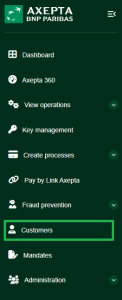
Search Criteria Overview
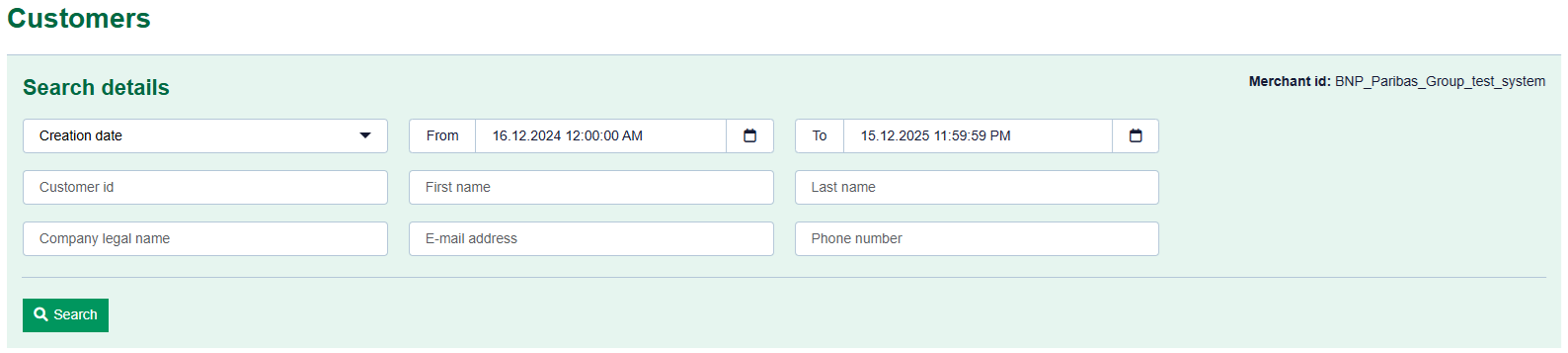
Search Details
The customer search interface is displayed in a light green box with several customizable fields:
Field | Description |
Creation Date | Filters customers created within a specific date range (calendar selection). |
Customer ID | Searches directly by the unique ID assigned to the customer. |
Company Name | Searches by the business or trading name of the customer. |
First Name / Last Name | Filters by the customer’s personal name. |
Email Address | Searches by registered email. |
Phone Number | Searches by contact number. |
After entering your criteria, click “Search” to launch the query.
The system will display a list of matching customers in a paginated table.
Search Results
For each customer, the following details are displayed :
- Customer ID
- First and last name
- Contact details (email, phone)
- Associated company
- Customer status (active, inactive, etc.)
Each row can be selected to access customer details, including :
- Saved payment cards
- Related transaction history
Export & Management
- Results can be exported in CSV or Excel format for reporting or analysis.
- Search filters can be reset at any time.