
You can use the "Create new user" button to create a new user for your application in the tab "Administration → User management". By creating new users, you can grant several persons access to the application. This has the advantage of allowing you to assign areas of responsibility and view activities by every user in the application.
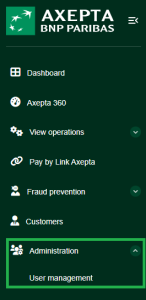
Creating a new user

"Create new user" button
Proceed as follows to create a new user:
1. Click on the "Create new user" button.
→ The "Create new user" window appears.
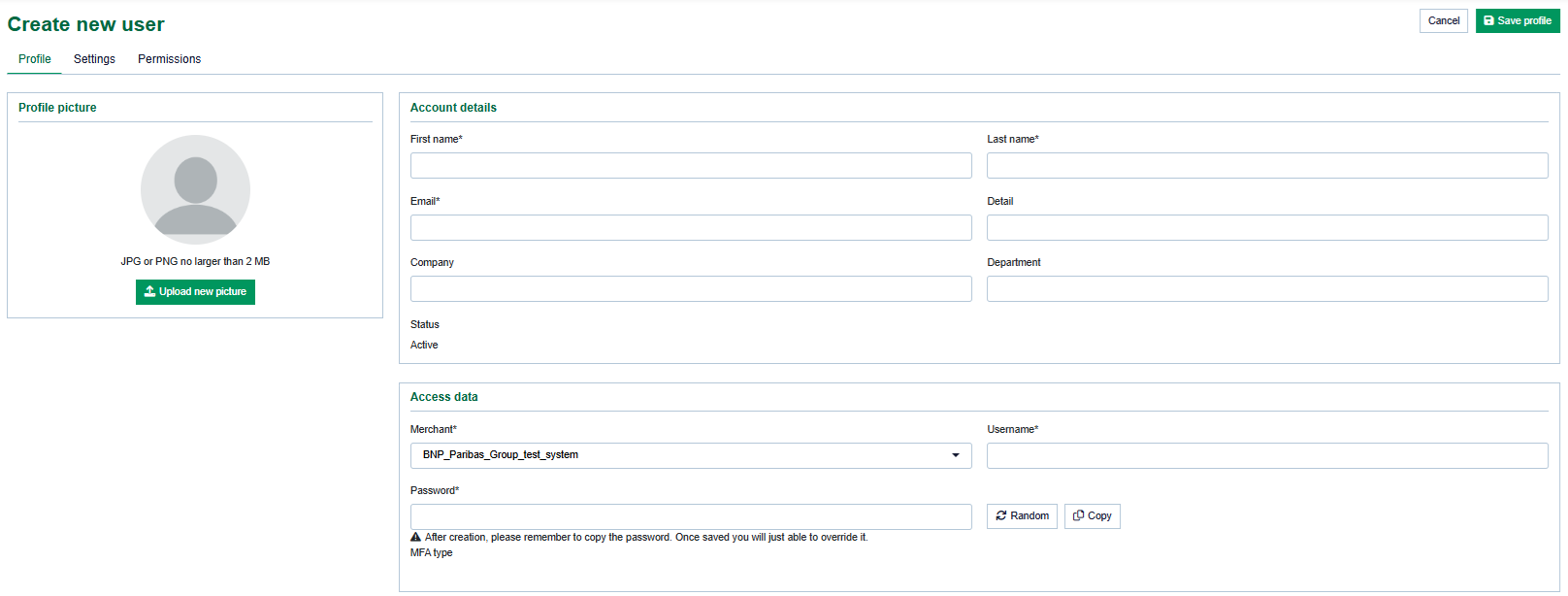
- Profile and Account Details
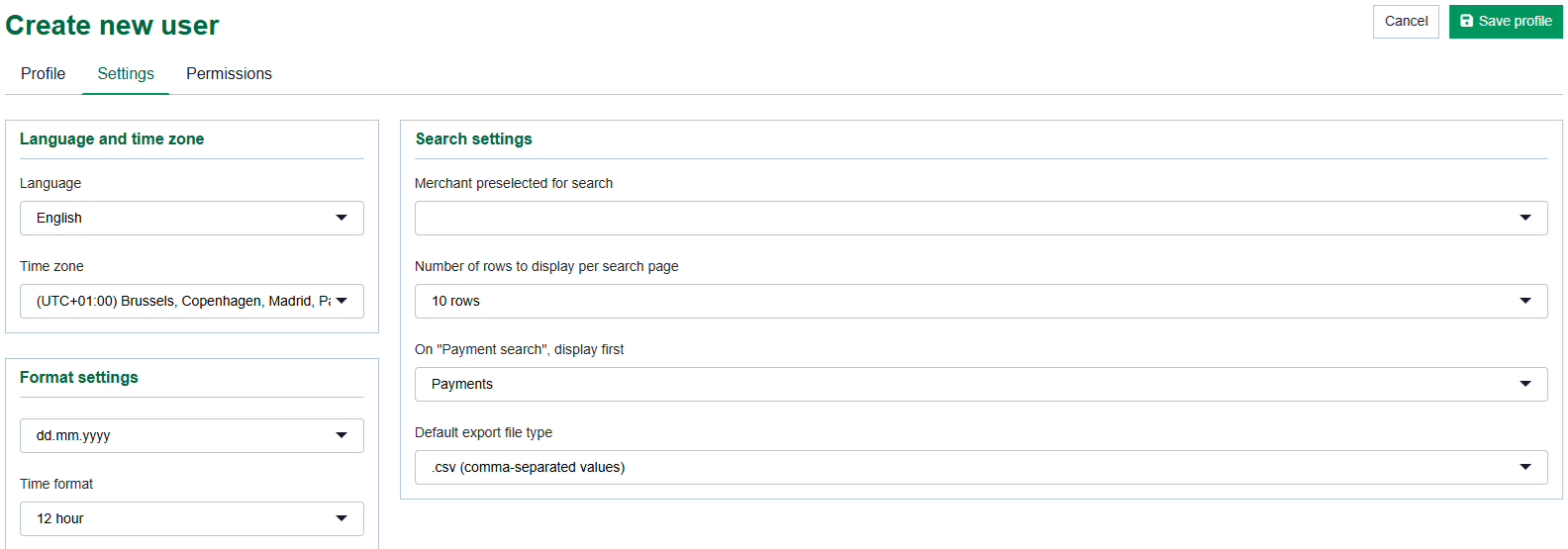
- Settings
- Permissions
User name of the new user
Password for a new user
As an administrator can manually enter a password for a new user or generate a random password and send it to the user so that they can access the Merchant Portal. The user will then need to change this password upon their first login.
You can generate a new random password in the "User Management" menu after user creation, if the initial password has not been copied or in case of password reset.
2. Enter the user name and password.
3. Enter the personal data.
4. Select the localization data and search settings.
"Time zone" input field
Operations can only be displayed and created with the correct time data as long as you have selected the right time zone for the user.
5. Select the site access rights. A description of the site access rights can be found in the Manage User Section.
Showing and hiding site access rights
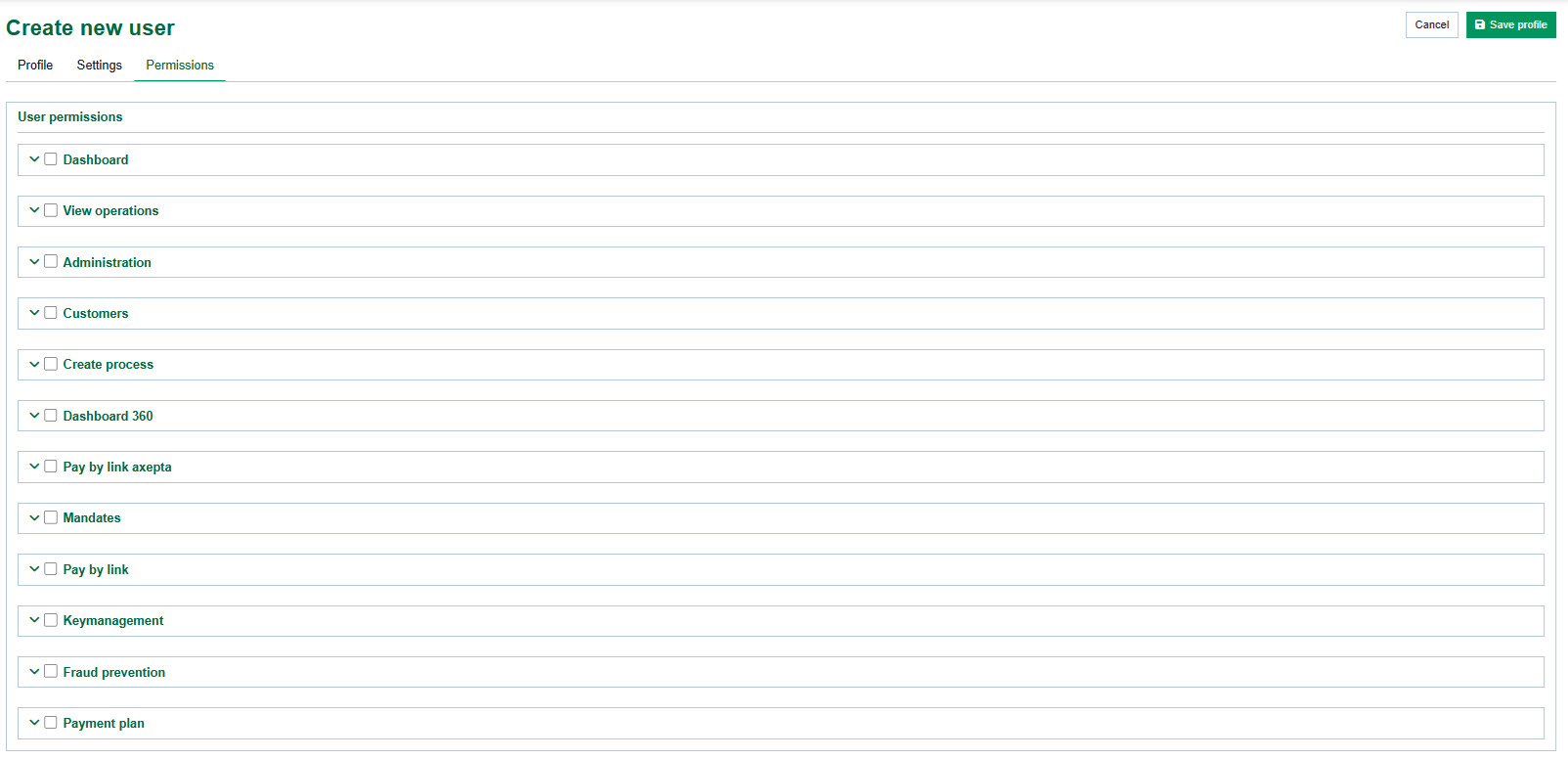
- Dashboard
- Views operations
- Administration
- Customers
- Create process
- Dashboard 360
- Pay By Link Axepta
- Mandates
- Pay by link
- Key management
- Fraud prevention
- Payment plan