
The "Pay by Link Axepta" menu is only accessible to authorized users. By clicking the "Search" button in the "Pay by Link Axepta" view of the "View operations" menu, all operations for the day of the search are displayed.
Summary
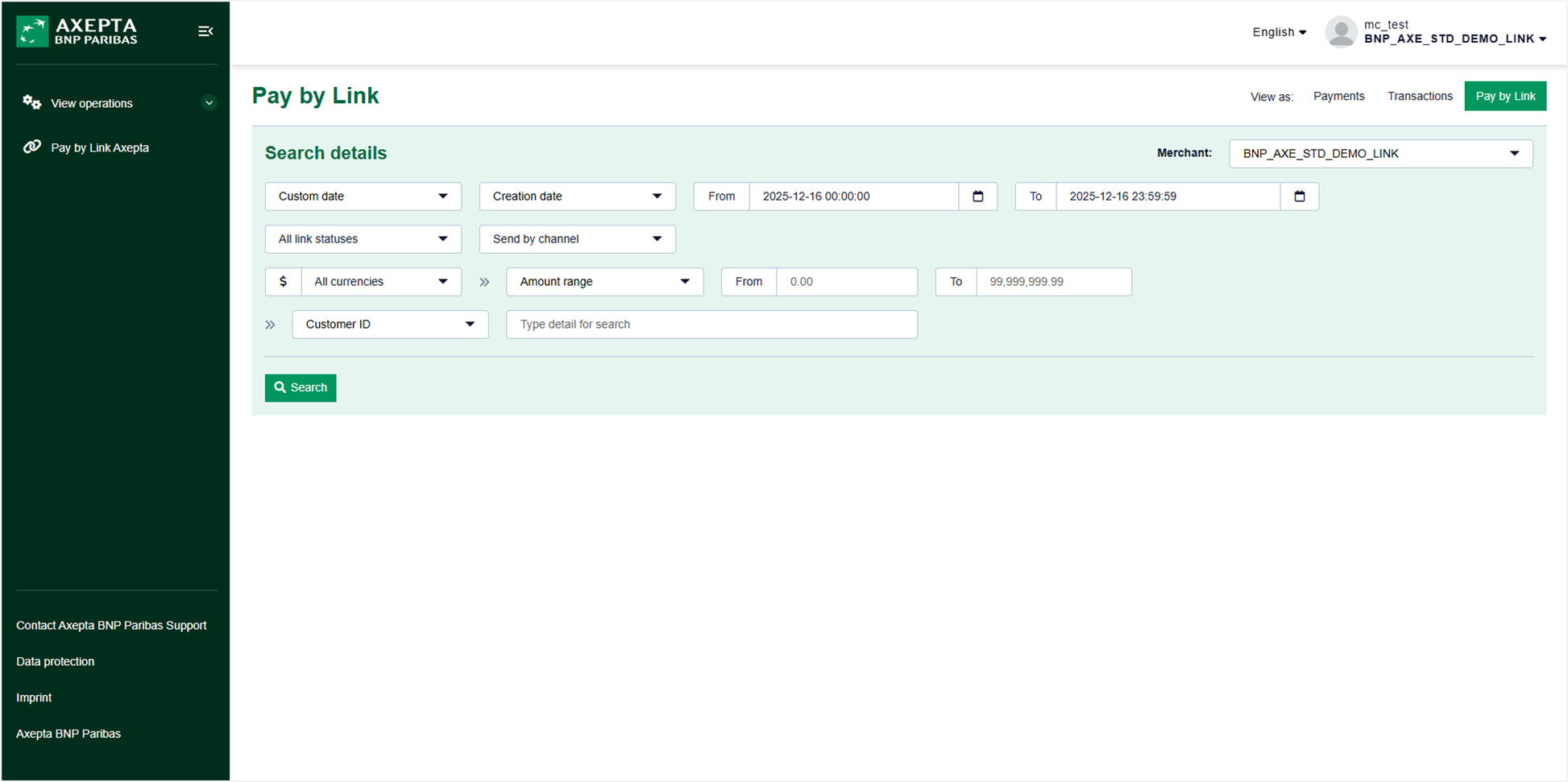
Search filters
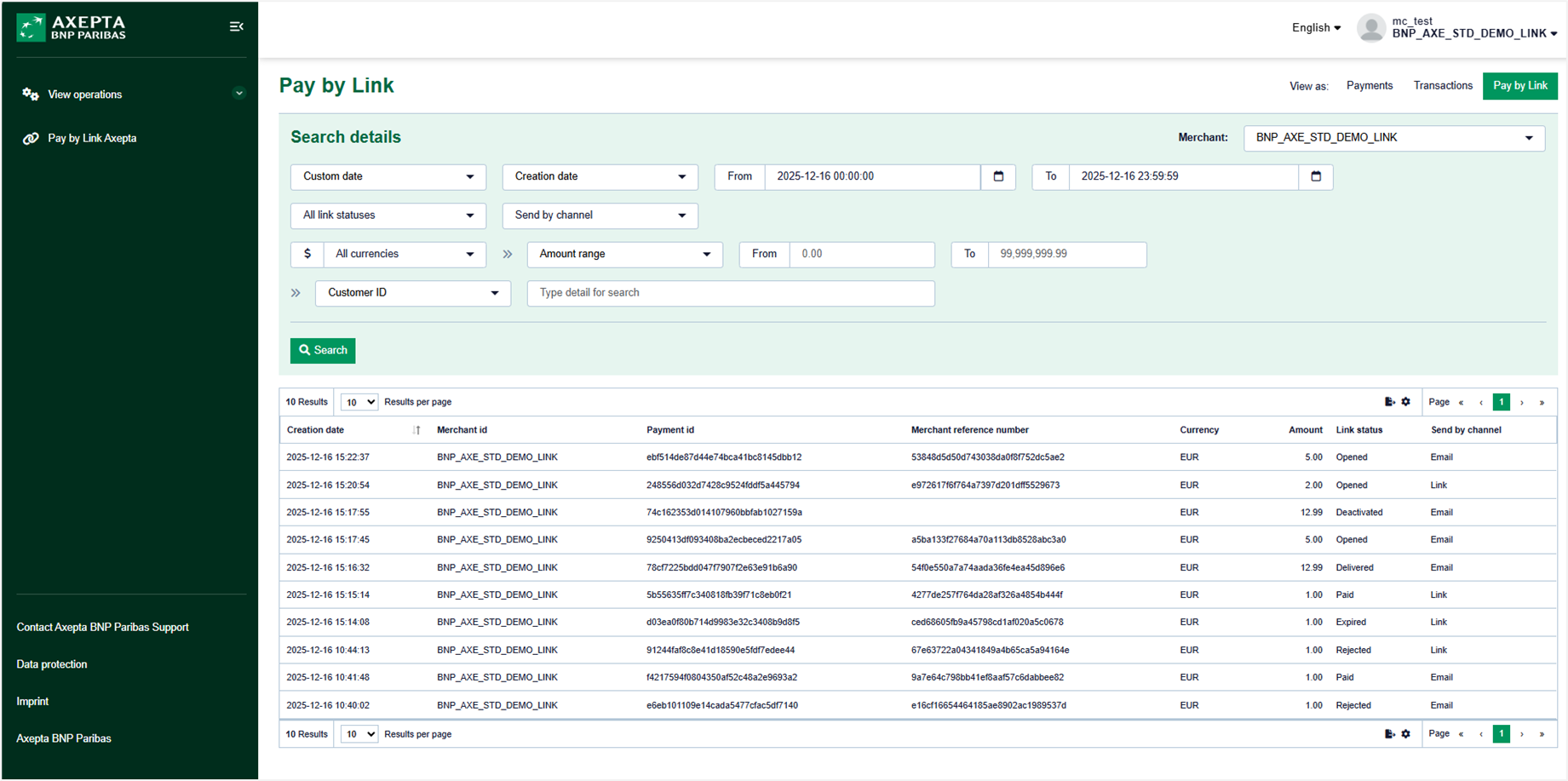
The research can be adjusted across several fields to refine your results:
- "Custom date" + "Creation date" or "Expiration date" of the link
- Date and time range:
- The date of the day is displayed by default with a time range from 00:00:00 to 23:59:59.
- Date and time range:
- "All link statuses"
- Possible choices : "Created", "Sent", "Sending in progress", "Delivered", "Not created", "Opened", "Paid", "Expired", "Failed", "Rejeted", "Desactivated".
- "Send by channel"
- The "Link" option allows you to display the operations for which the link has been sent by the merchant.
- The "Email" option allows you to display operations where the link was sent by email to the customer.
- "All currencies"
- Same view "Payments" and view "Actions".
- "Amount range" with amount range or "Amount exact"
- Allows filtering transactions by amount.
- Dropdown list containing the fields below as well as an input area:
- The "Customer ID" selected by default.
- The "Invoice reference".
- The "Contractreference".
- The "Username".
List of payment links
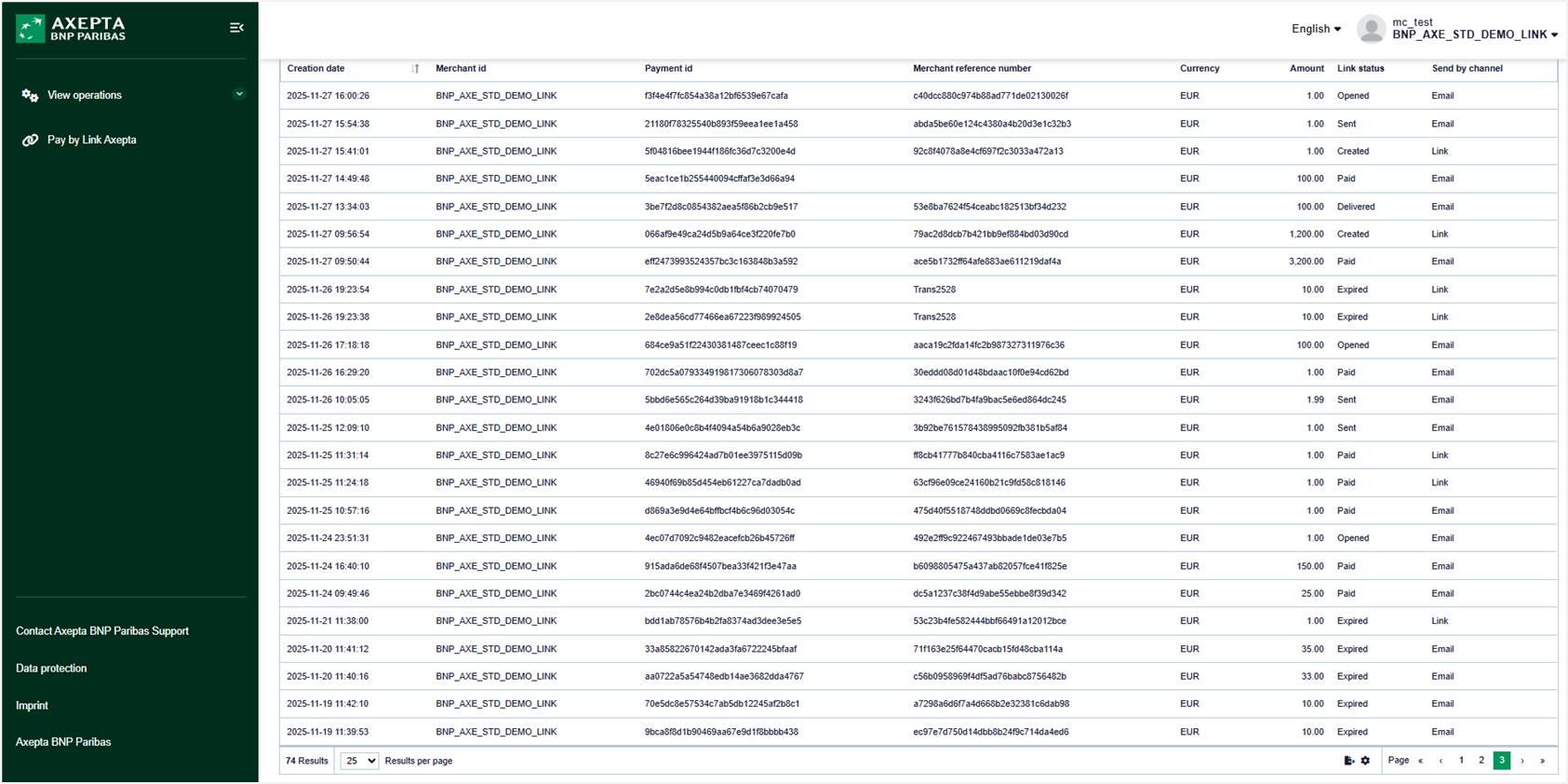
By default, the payment links list contains:
- Creation date: Date and time of the creation of the link.
- Merchant ID: Store identifier (MID)
- Payment ID: Payment identifier generated by Axepta BNP Paribas
- Merchant reference number: Transaction number generated by Axepta BNP Paribas
- Currency: Payment currency
- Amount: Payment amount
- Link status: Indicates the evolution of the status of your payment link
- Send by channel: Email for links sent via the "Send link" button, or Link for links generated via the "Generate link" button.
- Username: User who initiated the payment link creation.
Search Results
When clicking on one of the payments displayed at the level of the research results, the user is redirected towards the "Payment Link Details" page. Once on this page, it is possible to return to the "Payment Details" page. The user can also return to the previous research screen using the "Close" button.
The research results can be exported in CSV format for later analysis.