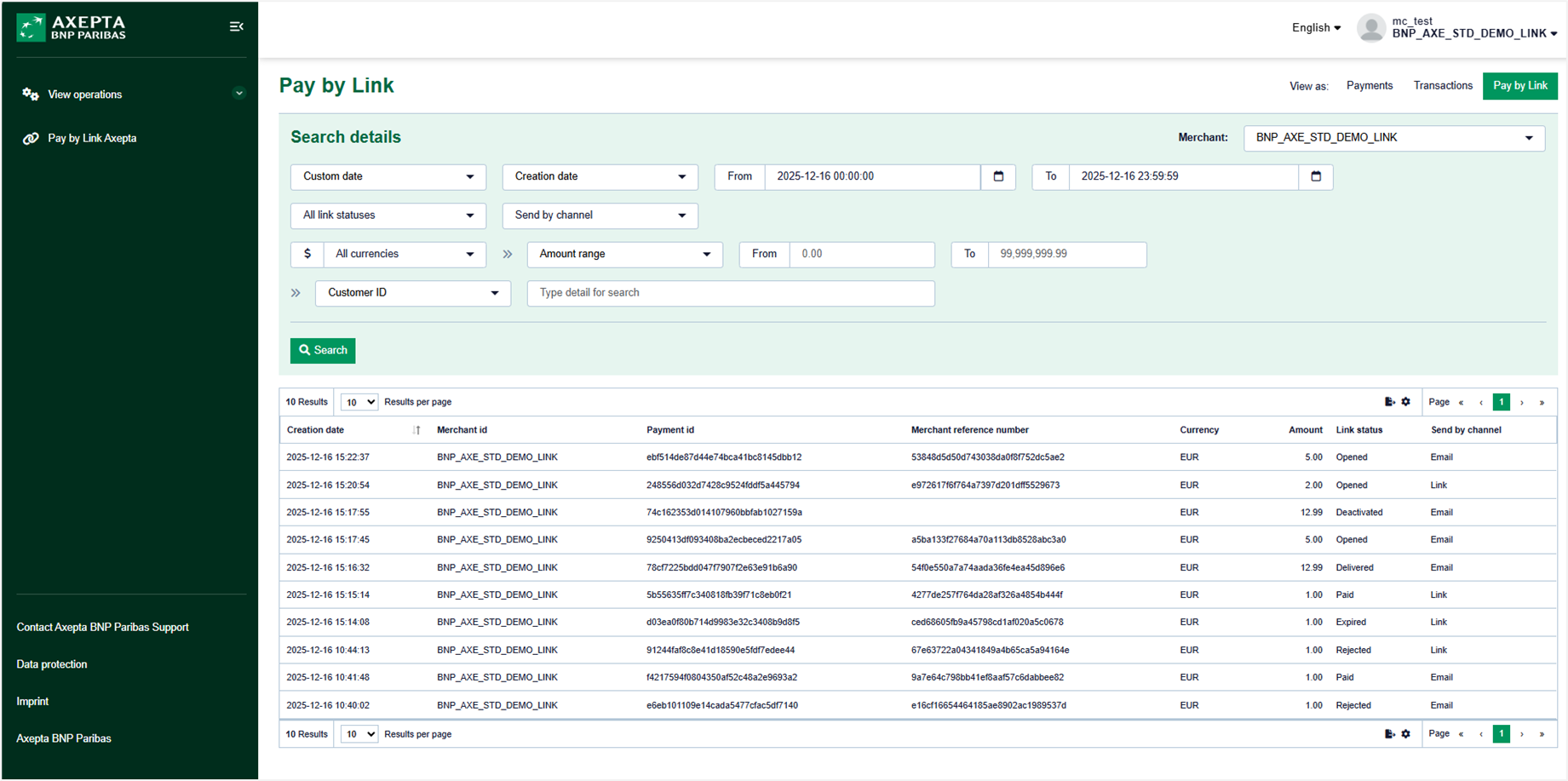
The "Pay by Link Axepta" menu is only accessible to authorized users. By clicking the "Search" button in the "Pay by Link Axepta" view of the "View operations" menu, all operations for the day of the search are displayed.
Summary
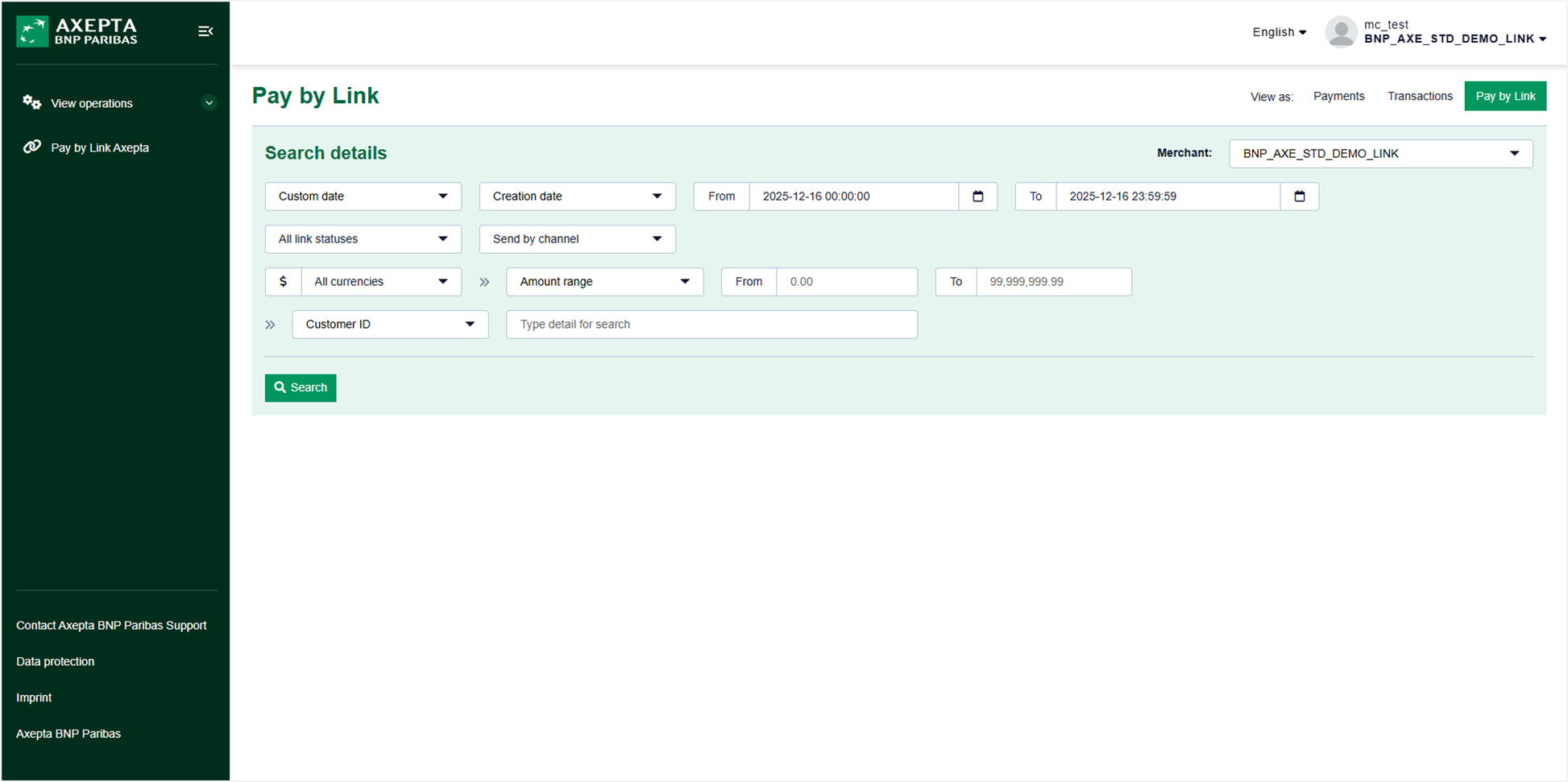
Search filters
La recherche peut être ajustée à travers plusieurs champs pour affiner vos résultats :
"Date personnalisée" + "Date de création" ou "Date d'expiration" du lien
- Plage de date(s) et heure(s) :
- La date du jour est affichée par défaut avec une plage d'heures de 00:00:00 à 23:59:59.
- Plage de date(s) et heure(s) :
"Tous les statuts des liens"
- Choix possibles : "Créé", "Envoyé", "Envoi en cours", "Livré", "Non créé", "Ouvert", "Payé", "Périmé", "Refusé", "Rejeté", "Désactivé".
"Envoyer par canal"
- Le choix "Lien" permet d'afficher les opérations dont le lien a été envoyé par le marchand.
- Le choix "Messagerie électronique" permet d'afficher les opérations dont le lien a été envoyé par mail au client.
"Toutes les devises"
- Idem vue "Paiements" et vue "Actions".
"Fourchette de montant" avec plage de montant ou "Montant exact"
- Permet de filtrer les transactions en fonction du montant.
Liste déroulante contenant les champs ci-dessous ainsi qu'une zone de saisie :
- Le "Numéro de client" sélectionné par défaut.
- Le "Numéro de facture".
- Le "Numéro de contrat".
- Le "Nom d'utilisateur".
List of payment links
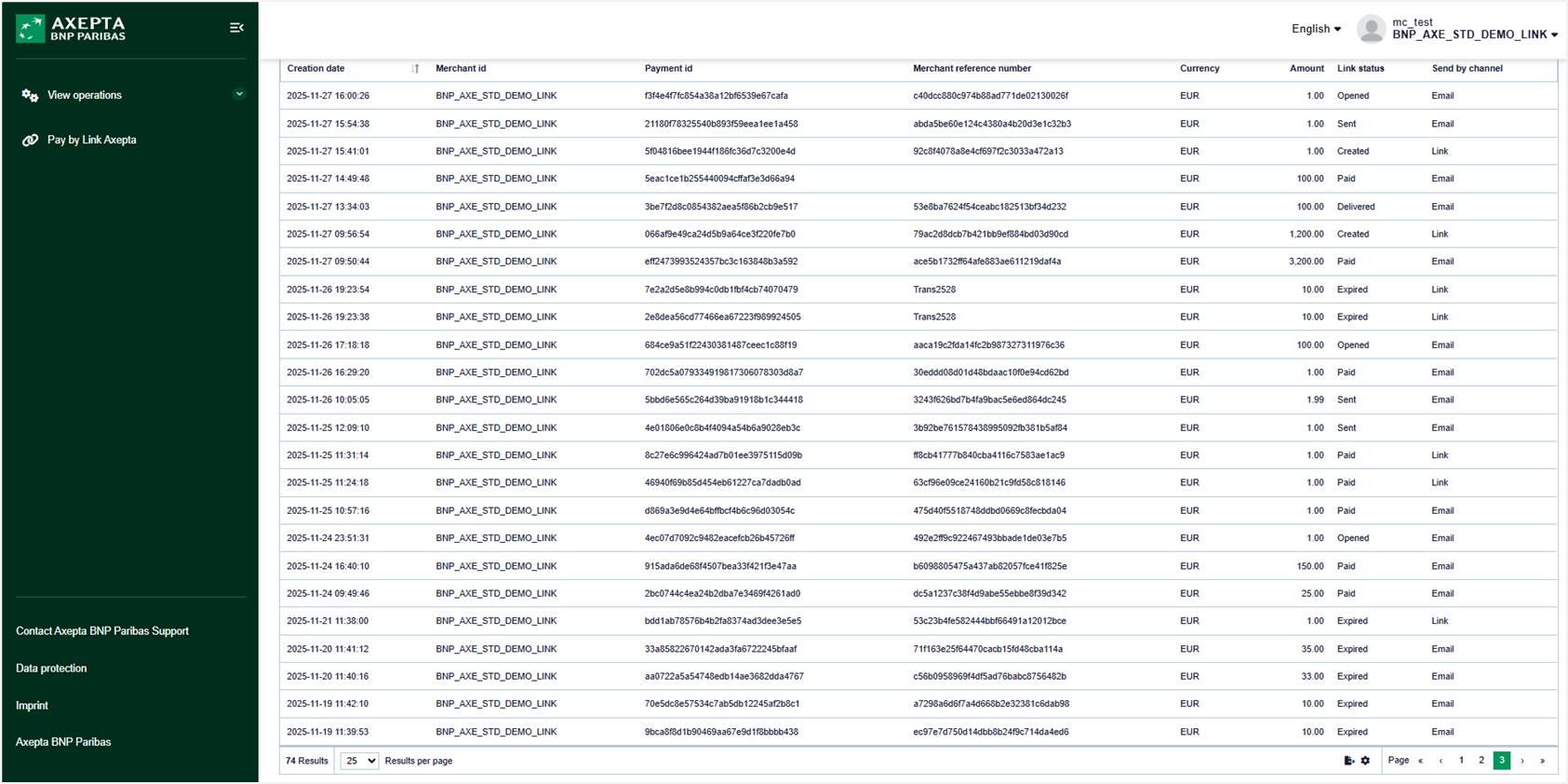
By default, the payment links list contains:
- Creation date: Date and time of the creation of the link.
- Merchant ID: Store identifier (MID)
- Payment ID: Payment identifier generated by Axepta BNP Paribas
- Merchant reference number: Transaction number generated by Axepta BNP Paribas
- Currency: Payment currency
- Amount: Payment amount
- Link status: Indicates the evolution of the status of your payment link
- Send by channel: Email for links sent via the "Send link" button, or Link for links generated via the "Generate link" button.
- Username: User who initiated the payment link creation.
Search Results
When clicking on one of the payments displayed at the level of the research results, the user is redirected towards the "Payment Link Details" page. Once on this page, it is possible to return to the "Payment Details" page. The user can also return to the previous research screen using the "Close" button.
The research results can be exported in CSV format for later analysis.