|
|
You can use the tab "Pay by link Axepta" to create an operation (payment using a link). If you create a payment process using the "Pay by link Axepta", a payment link with the payment request is sent by email to the customer specified. This link forwards the customer to the payment form on the hosted payment page. The paymethods available are the paymethods we have setup for you.
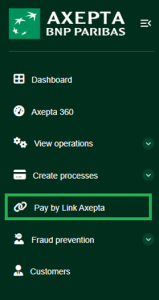
Overview of "Pay by link"
In this section, you will find a summarized view of payment by link. For those who wish to have a detailed description, follow this link : Axepta Pay by link |
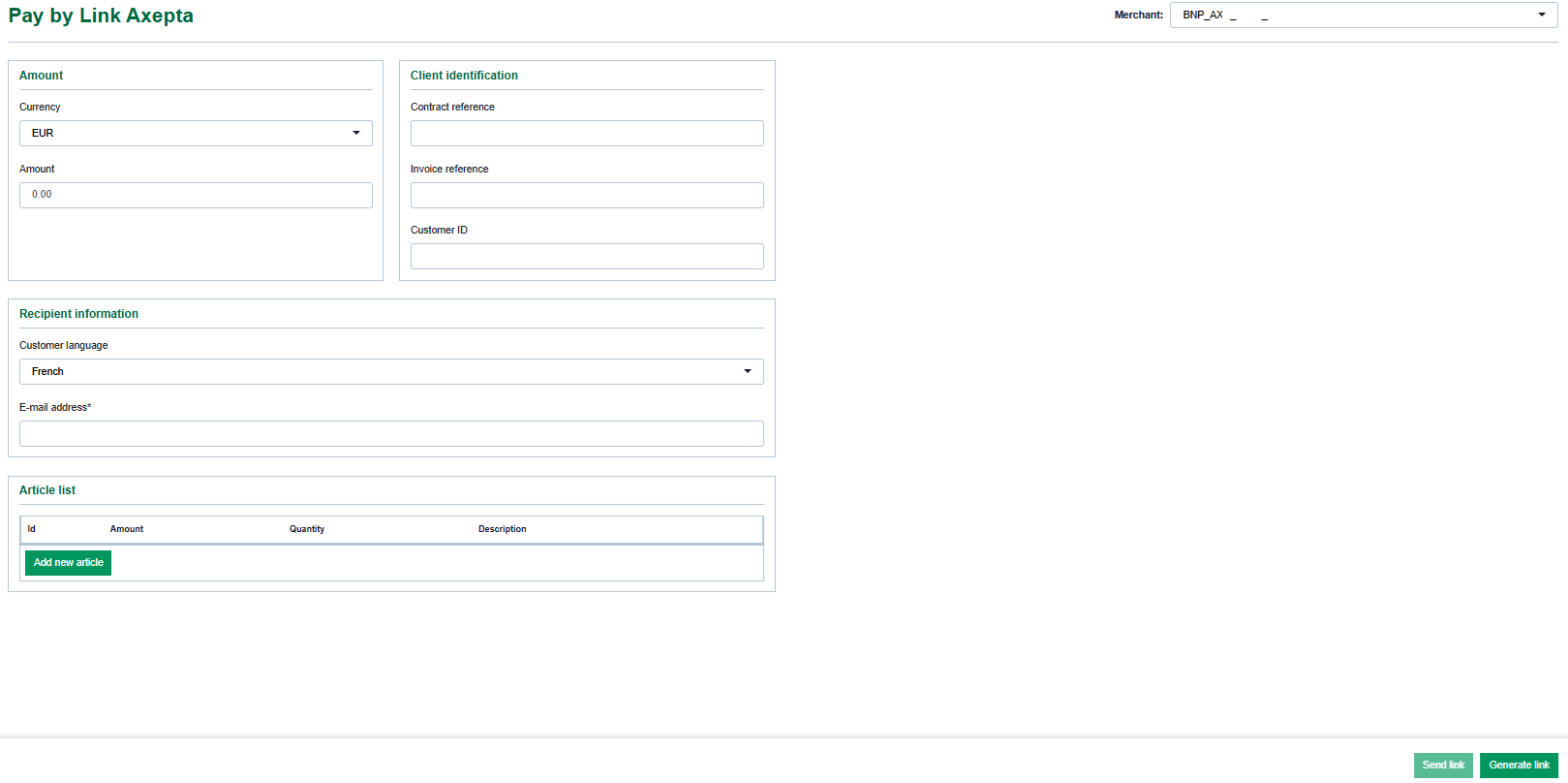
Filling in the "Operation characteristics" input field
Operation characteristics describe the paymethod used for an operation. You can enter the following operation characteristics: Currency, amount, type of capture, reference number, merchant reference number, information about your shopping cart, invoice recipient.
Selecting currency and amount
When you open the drop-down "Currency" menu, you will see all currencies that can be selected. You can narrow the search to a specific amount of money in the "Amount" input field.
The amount entered depends on the currency selected beforehand from the drop-down "Currency" menu. You must enter the amount in the largest currency unit using the decimal notation applicable for the currency (e.g. €10.50). Whether decimals are allowed depends on the respective currency. |
Entering Cutomer informations
The contract, invoice reference and customerID for each customer.
Entering the recipient information
recipients information must be entered as follows: selection of language et E-mail
Entering information about your shopping cart
This is where you can enter the merchandise or services that your customer ordered from you.
The "Information about your shopping cart" input field must be filled in according to the rules for the paymethod and the payment method provider applicable when the operation was created. The corresponding parameters in the paymethods are "OrderDesc" and "OrderDesc2". |
Creating a "Pay by link" payment
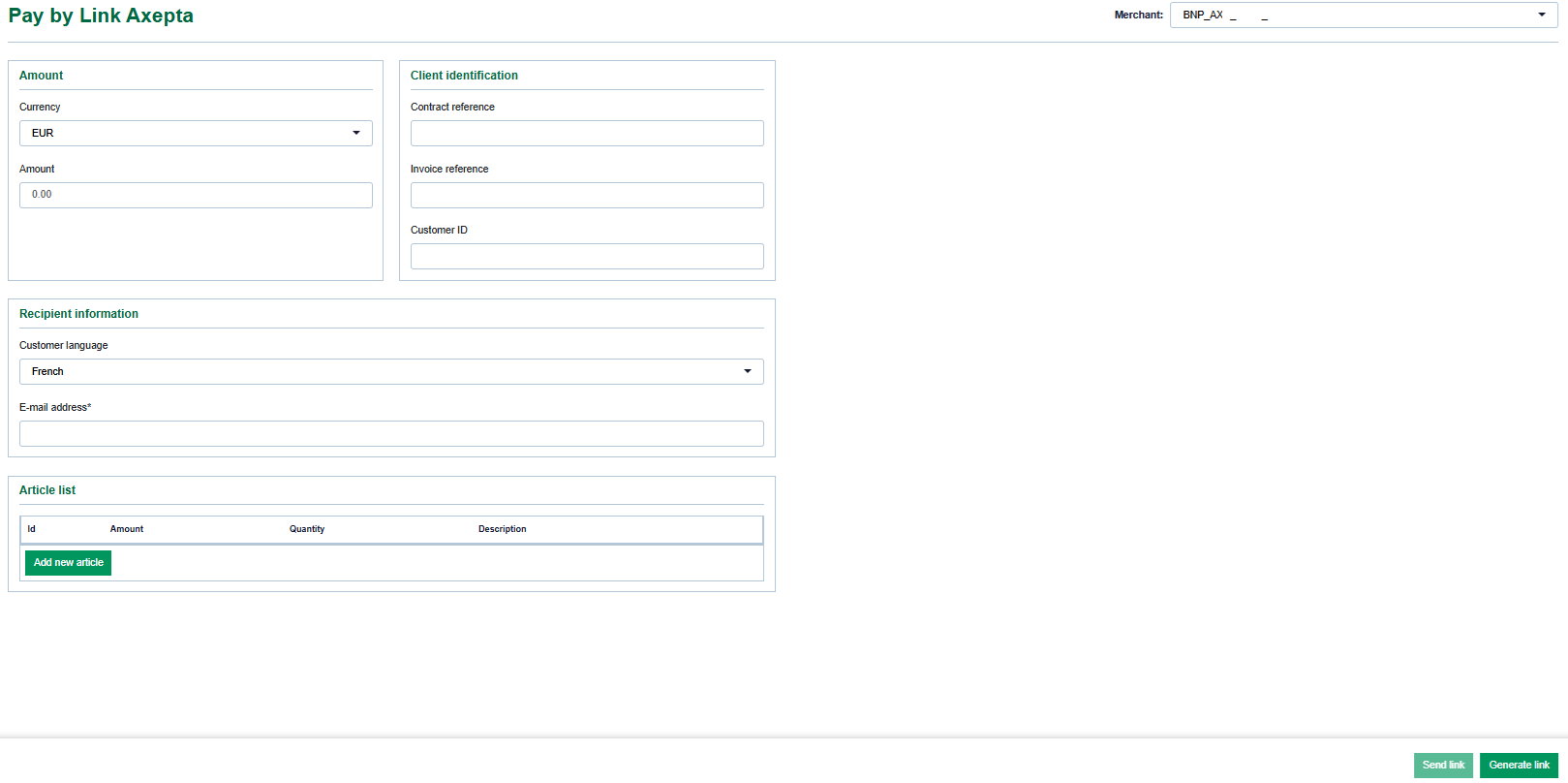
1. Fill in the operation characteristics and other inputs as necessary.
2. Select Send link or Generate link.
| Action | Description |
|---|---|
| Send link | Likn is automatically send to the customer |
| Generate link | A pop-up with the link is shown, which the merchant can copy and send it to the customer |
A "Pay by link" payment process from the customer’s perspective
Once the link is generated the merchant should send the link to the customer. No automatic email generation is possible from Pay by link terminal.
1. The customer clicks on the payment link in the email received.
→ The customer is forwarded to the hosted payment page to select the paymethod.
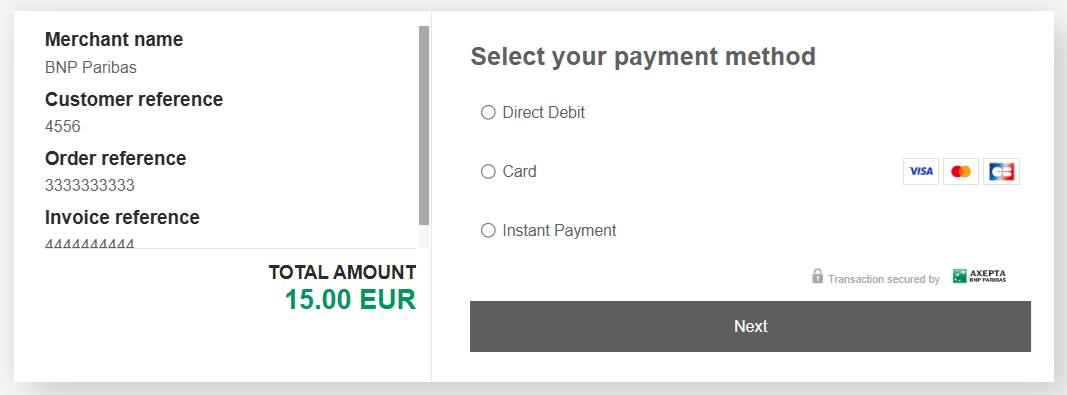
- Merchant and customer information
- "Paymethod" selection field
- "Next" button
2. The customer selects the paymethod and clicks on the "Next" button
3. The customer enters their payment data and completes the payment process required by the paymethod.
→ The customer then receives either a confirmation or error message. If the error message appears, the customer can click on the link again and repeat the inputs.