
Sommaire
| Table of Contents |
|---|
Access to service
To create a payment link, make sure you have the necessary permissions to access the **Pay by Link Axepta** menu in your merchant portal.
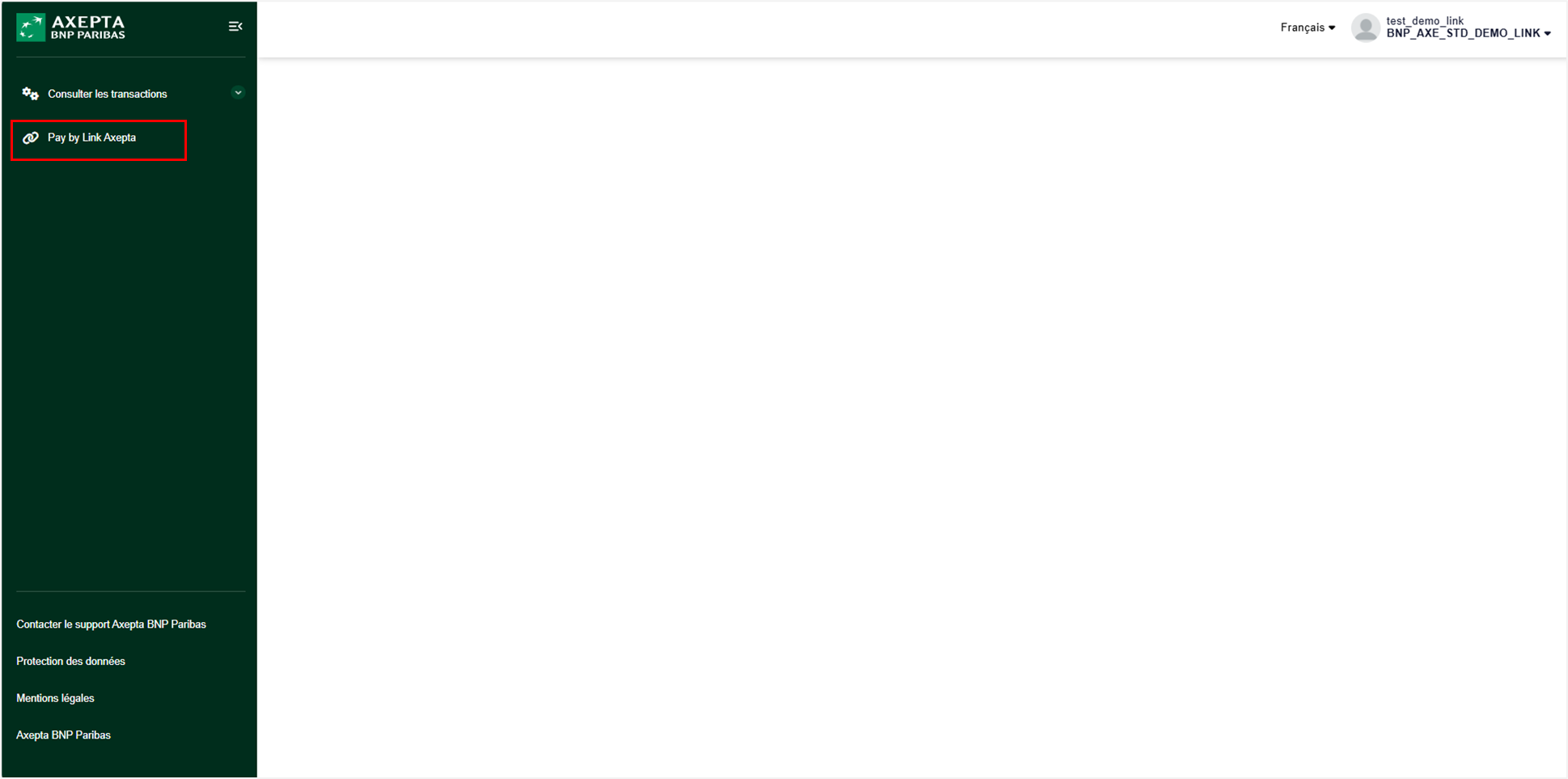
Payment Link Creation Form
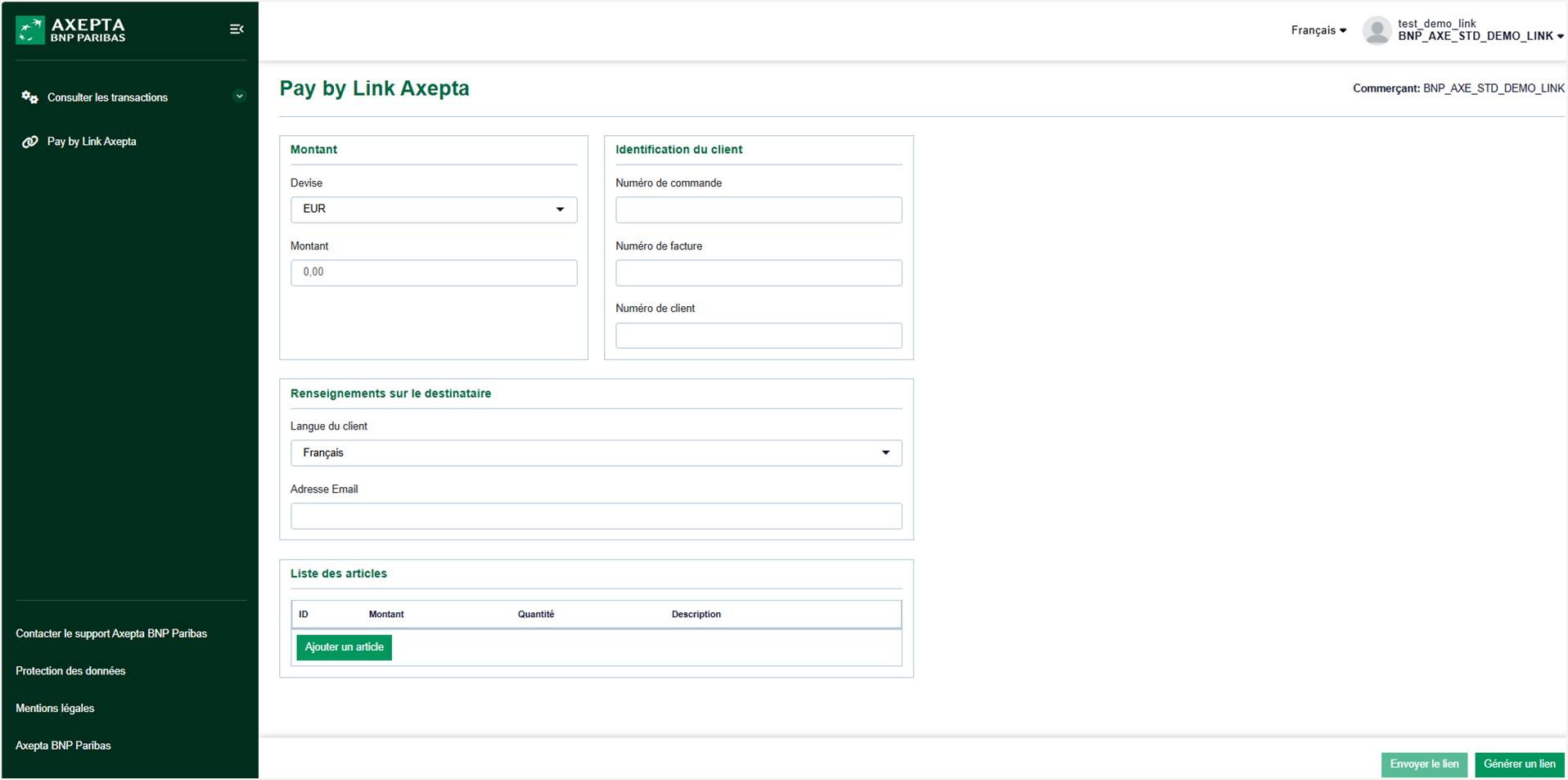
Section description
Amount
- Currency (Mandatory): Select the currency for the transaction.
- Amount (Mandatory): Enter the amount to be paid.
Customer Identification
- Order Number (Optional): Enter the order number associated with the transaction.
- Invoice Number (Optional): Enter the invoice number if applicable.
- Customer Number (Optional): Enter the customer number for precise identification.
Recipient Information
- Customer Language (Mandatory): Choose the customer's language (French or English) to customize the payment process.
- Email Address (Optional): Enter the customer's email address to send the payment link. This address will also be used to send the payment confirmation.
Order Items
- ID (Optional): Item identifier.
- Amount (Optional): Item amount.
- Quantity (Optional): Item quantity.
- Description (Optional): Detailed description of the item.
- Add Item Button (Optional): Add multiple items to precisely describe the order content.
Action Buttons
- Send Link (Optional): This button, visible to authorized users, allows sending the payment link via email. It activates as soon as the customer's email address is entered. The email is managed by Axepta.
- Generate Link (Optional): This button allows you to copy and paste the payment link to send it directly to your customers via your preferred channel.
Mail contenant le lien de paiement envoyé par
Example of email with the payment link sent by Axepta BNP Paribas
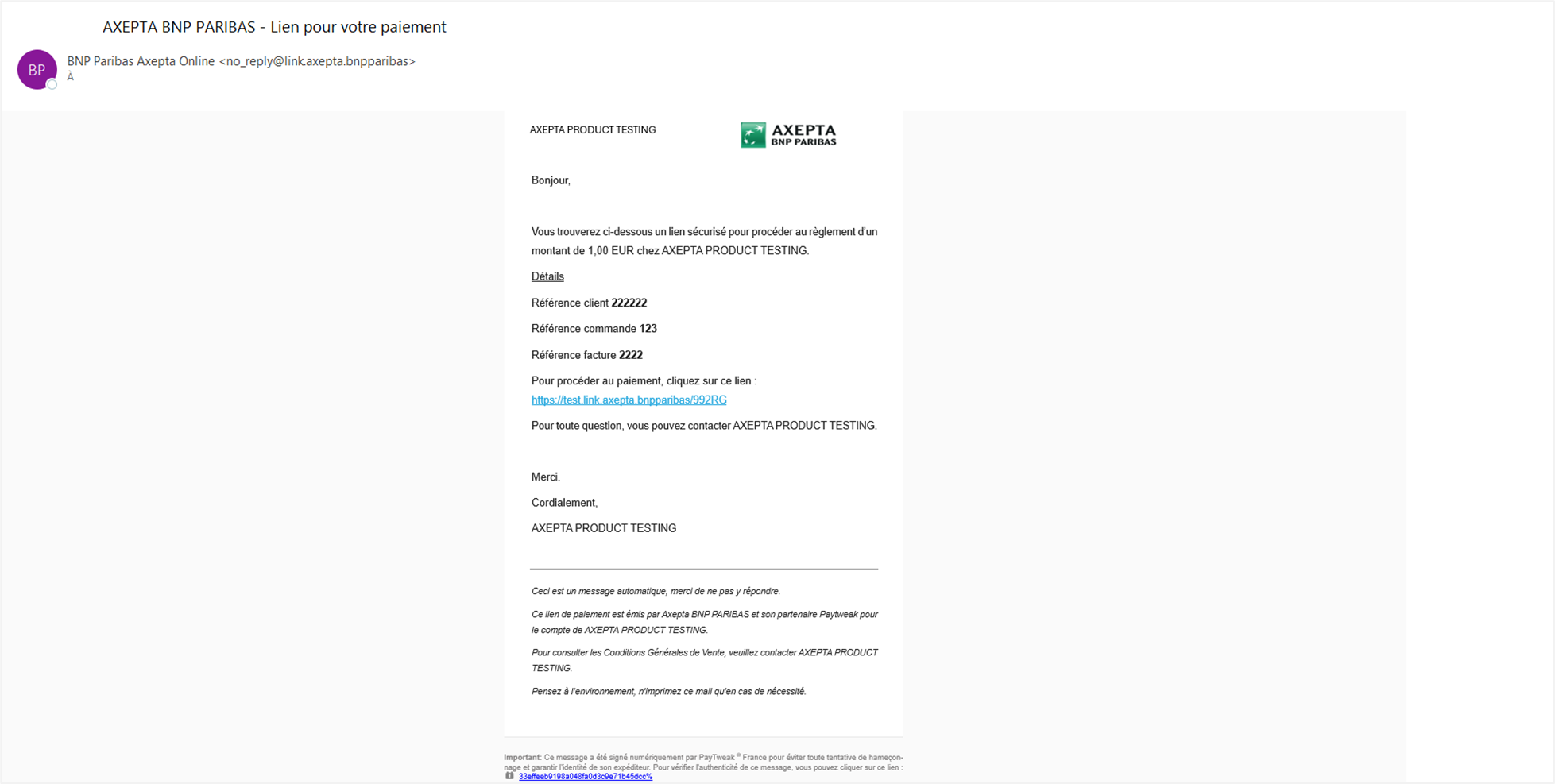
Email Content Received by the Client
Sender's Name
Contenu du mail reçu par le client
Nom de l’expéditeur: BNP Paribas Axepta Online
Sender's Email Address: no_reply@link.axepta.bnpparibas
Recipient's Email Address: Derived from the input form
Email Subject: AXEPTA BNP PARIBAS -
Payment Link
Email Content:
Merchant Name
Amount
Customer Reference (If filled in the payment link creation form)
Order Reference (If filled in the payment link creation form)
Invoice Reference (If filled in the payment link creation form)
Clickable Payment Link